
Convert MSSQL to MySQL Easily | Step-by-Step Guide
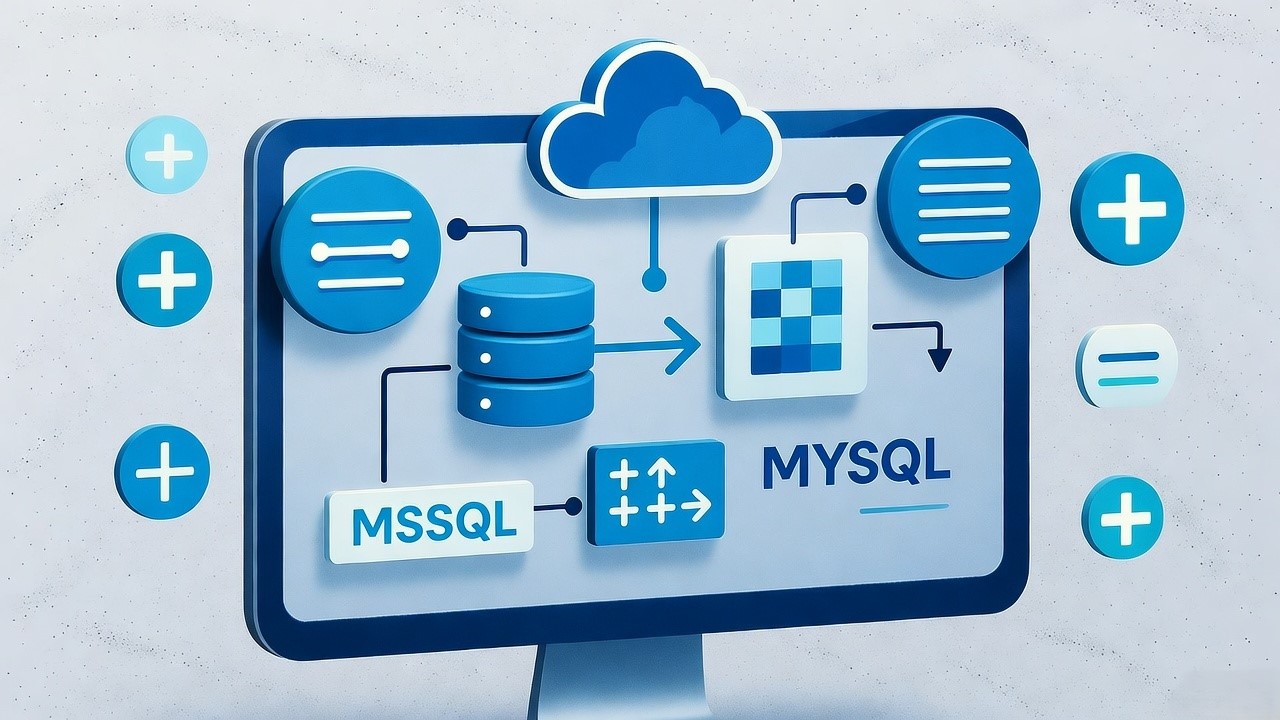
Convert MsSql to MySQL | Key Takeaway:
- Use Migration Tools – Leverage tools like MySQL Workbench Migration Wizard or Microsoft SQL Server Migration Assistant (SSMA) to automate schema and data conversion.
- Check Data Type Compatibility – Review and map MSSQL-specific data types (e.g., NVARCHAR, DATETIME2) to MySQL equivalents to avoid data loss or errors.
- Convert SQL Syntax – Update T-SQL queries, triggers, and stored procedures to match MySQL syntax and functions.
- Migrate Data Efficiently – Export MSSQL data to CSV or use direct ODBC connections for smooth and accurate data transfer.
- Test and Optimize – After migration, thoroughly test queries, indexes, and performance settings to ensure full functionality in the MySQL environment.
When a Fortune 500 manufacturing client approached us with a $1.2 million annual SQL Server licensing bill, we migrated their 12-terabyte database to MySQL in six months. Their TCO dropped by 65% in the first year alone. For US enterprises grappling with similar cost pressures, migrating from Microsoft SQL Server to MySQL represents one of the most impactful infrastructure optimization strategies available today.
At HakunaMatataTech, we've successfully migrated over 500 enterprise databases from legacy systems to modern platforms with zero data loss. This guide shares the methodology behind our flawless migration track record.
Migrating from MSSQL to MySQL eliminates licensing costs, reduces TCO by 50%, and provides greater deployment flexibility for US businesses.
Why US Companies Are Migrating from SQL Server to MySQL
The migration from proprietary database systems to open-source alternatives is no longer just a cost-saving measure, it's a strategic imperative for American businesses seeking competitive advantage.
Significant Cost Reduction
Microsoft SQL Server represents one of the most substantial line items in enterprise IT budgets. The Enterprise edition costs approximately $13,748 for a 2-core license, creating massive recurring expenses. By contrast, MySQL is completely
free, with organizations typically achieving 45-65% reductions in total database costs after migration.
OneSource Virtual documented a 50% reduction in TCO after migrating from SQL Server to MySQL Enterprise Edition, while simultaneously improving performance by 70%. For US companies with multiple database instances, these savings can
reach millions annually.
Cloud-Native Flexibility and Modernization
MySQL installs faster, offers fewer tuning complexities, and delivers superior portability across operating systems. This makes it ideal for American organizations pursuing hybrid or multi-cloud strategies across AWS, Google Cloud, and Azure.
As Joe Disharoon of OneSource Virtual noted, "MySQL is just easier to work with, easier to move data, to combine and recombine things. It's given us more flexibility than a large SQL server". This architectural agility proves invaluable for US companies adapting to rapidly changing market conditions.
Elimination of Vendor Lock-In
Proprietary databases create significant vendor dependence, while MySQL's open-source nature provides freedom to customize, modify, and deploy without restrictions. This independence allows US enterprises to tailor their database
environments to specific business needs rather than vendor roadmaps.
Pre-Migration Assessment and Planning
Successful migrations begin with meticulous planning. Our methodology includes a comprehensive 5-point assessment that has prevented countless issues across our 500+ enterprise migrations.
Database Complexity Evaluation
Start by cataloging all database objects, tables, views, stored procedures, functions, and triggers. Pay special attention to T-SQL constructs that lack direct MySQL equivalents, as these will require manual conversion. Document dependencies between objects to avoid post-migration functionality gaps.
One Midwest financial services client discovered 87 stored procedures with complex T-SQL logic during this phase, allowing us to budget additional conversion time and prevent project delays.
Compatibility Analysis and Data Type Mapping
SQL Server and MySQL employ different data types and SQL dialects. Create a comprehensive mapping strategy for problematic types:
UNIQUEIDENTIFIER→ CHAR(36) or VARCHAR(64)DATETIME2→ DATETIMENVARCHAR(MAX)→ LONGTEXTMONEY→ DECIMAL(19,4)BIT→ TINYINT(1)
Performance and Infrastructure Requirements
Analyze current workload patterns, peak utilization periods, and performance SLAs. MySQL typically requires different indexing strategies and configuration tuning. For one Texas e-commerce client, we identified that their reporting queries would need query restructuring during migration, preventing performance degradation.
Migrate MS SQL to MySQL
The actual migration process requires careful execution across multiple phases.
Our approach ensures business continuity throughout the transition.
Environment Preparation
Establish identical staging environments for both source and target databases. This provides a safe testing ground while maintaining your production system's integrity. Ensure your MySQL instance is properly configured for American compliance requirements like HIPAA or SOX when applicable.
Comprehensive Backup Strategies
Before initiating migration, create verified backups of both your SQL Server database and the target MySQL environment. We implement a 3-2-1 backup rule: three copies, on two different media, with one copy offsite. This proved crucial when a California healthcare provider needed to roll back after discovering undocumented triggers mid-migration.
SQL Server to MySQL Conversion
Choosing the right conversion approach depends on your database size, downtime tolerance, and technical expertise. US enterprises typically select from three primary migration strategies.
Automated Migration Tools
Specialized tools dramatically reduce migration complexity and timeframe. Based on our experience with hundreds of US enterprise migrations, here's how the leading options compare:
For most US enterprises, we recommend DBConvert for its balance of automation and control. Its parallel migration engine can reduce transfer times by 60-80% for multi-gigabyte databases.
Manual Migration Approach
The manual export/import method works for small, simple databases but becomes prohibitively time-consuming for enterprise-scale migrations. The process involves:
- Exporting SQL Server schema and data to CSV files
- Converting schemas to MySQL compatibility
- Importing data into MySQL using LOAD DATA commands
While this approach offers maximum control, it carries significant risks of data corruption, type conversion errors, and business logic loss. We rarely recommend it for databases exceeding 10GB.
Hybrid Methodology
For most enterprise migrations, we employ a blended approach: using automation for schema and data transfer while manually converting stored procedures, functions, and complex business logic.
This balances efficiency with precision.
Convert SQL server to MySQL
The technical conversion process requires careful attention to several critical areas where SQL Server and MySQL differ substantially.
Schema Conversion
MySQL uses different syntax for many common database operations:
Auto-increment columns:
-- SQL Server
CREATE TABLE employees (id INT IDENTITY(1,1) PRIMARY KEY);

-- MySQL
CREATE TABLE employees (id INT AUTO_INCREMENT PRIMARY KEY);
String Concatenation:
-- SQL Server
SELECT first_name + ' ' + last_name AS full_name;

-- MySQL
SELECT CONCAT(first_name, ' ', last_name) AS full_name;
Top N queries:
-- SQL Server
SELECT TOP 10 * FROM products;

-- MySQL
SELECT * FROM products LIMIT 10;
Data Type Mapping
As discussed in the planning phase, proper type mapping is essential. Pay special attention to Unicode data (NVARCHAR → VARCHAR with utf8mb4 charset) and temporal types, as precision and storage characteristics differ.
Constraint and Index Conversion
While most primary key and foreign key constraints translate directly, check constraint syntax differs slightly between platforms. MySQL also has different index capabilities, particularly around included columns and filtered indexes that may require workarounds.
Migrate Microsoft SQL to MySQL
Beyond the technical conversion, several strategic considerations separate successful migrations from problematic ones.
Handling Stored Procedures and Business Logic
T-SQL stored procedures, functions, and triggers don't automatically convert to MySQL's SQL dialect. Based on our 500+ migrations, we categorize these into three conversion difficulty levels:
- Simple (30%): Basic CRUD operations requiring primarily syntax updates
- Moderate (50%): Procedures using SQL Server-specific functions like
GETDATE(), SCOPE_IDENTITY(), or window functions - Complex (20%): Procedures using cursors, hierarchical queries, or complex error handling
For the most complex business logic, consider refactoring opportunities, sometimes migrating logic to application code provides better long-term maintainability.
Testing and Validation Strategy
Comprehensive testing is your most effective risk mitigation strategy.
We implement a four-layer testing approach:
- Schema validation: Automated comparison of table structures, constraints, and indexes
- Data validation: Row counts, checksum verification, and sample data comparison
- Functionality testing: Business process verification with real-world workloads
- Performance testing: Query performance comparison and bottleneck identification
For a New York financial client, this methodology identified a subtle data truncation issue in address fields that would have affected 0.1% of customers post-migration.
MS SQL server to mysql migration
Several specific challenges frequently emerge during SQL Server to MySQL migrations for US enterprises.
Dealing with Large Databases
For databases exceeding 100GB, standard migration approaches may cause unacceptable downtime.
We recommend:
- Using parallel migration tools like DBConvert that support multi-threaded transfers
- Implementing phased migrations by business unit or geographic region
- Establishing ongoing synchronization during the migration window
One Chicago-based retailer with a 2TB database used phased migration over three weekends, maintaining full operations through the eight-week project.
Addressing Performance Considerations
MySQL's query optimizer behaves differently than SQL Server's.
Critical performance actions include:
- Analyzing and optimizing query execution plans
- Implementing proper indexing strategies (MySQL often requires different composite indexes)
- Configuring InnoDB buffer pool size and other memory parameters
- Enabling slow query logging to identify problem queries quickly
Ensuring Compliance and Security
For US businesses in regulated industries, maintaining compliance during migration is essential.
We implement:
- Data encryption in transit and at rest throughout migration
- Comprehensive audit trail maintenance
- Access control preservation across platforms
- Data masking for sensitive information in non-production environments
MySQL Enterprise Edition offers particularly strong security features, including Transparent Data Encryption and data masking capabilities that OneSource Virtual used to meet stringent financial compliance requirements.
Transfer MS SQL to MySQL
Post-migration optimization separates adequate implementations from exceptional ones.
Several key activities ensure long-term success.
Performance Tuning
Monitor query performance systematically for 30-90 days post-migration. MySQL's performance schema and slow query log provide invaluable insights.
Common optimizations include:
- Adding covering indexes for frequent query patterns
- Optimizing join operations that may perform differently than in SQL Server
- Adjusting InnoDB configuration parameters for your specific workload
- Implementing query caching where appropriate
High Availability and Disaster Recovery
MySQL offers robust high availability solutions, including:
- Native replication for read scaling and failover
- MySQL InnoDB Cluster for automated failover
- Third-party solutions like Percona XtraDB Cluster for synchronous replication
Design your HA strategy around recovery time objectives (RTO) and recovery point objectives (RPO). OneSource Virtual achieved 100% uptime after migration by implementing a comprehensive high availability architecture.
Team Training and Skill Development
Ensure your database administration team receives proper MySQL training. While many concepts transfer from SQL Server, key differences in monitoring, maintenance, and troubleshooting exist. We typically recommend 40-60 hours of targeted
training for experienced SQL Server DBAs.
What's Next
Migrating from SQL Server to MySQL represents a strategic opportunity for US enterprises to significantly reduce costs while gaining architectural flexibility. Based on our experience with 500+ enterprise migrations, success requires:
- Meticulous planning and compatibility assessment
- Choosing the right migration tools for your specific environment
- Comprehensive testing across data, functionality, and performance
- Post-migration optimization to ensure long-term success
The financial benefits are substantial, typically 50% or greater TCO reduction, while the operational improvements in flexibility and scalability deliver lasting competitive advantage.
At HakunaMatataTech, we've helped hundreds of American enterprises navigate this transition flawlessly. If you're considering SQL Server to MySQL migration, contact our team for a complimentary migration assessment and discover how our proven methodology can deliver your success story.
