
Native App Development Services: When Native Beats Cross-Platform for the Enterprise
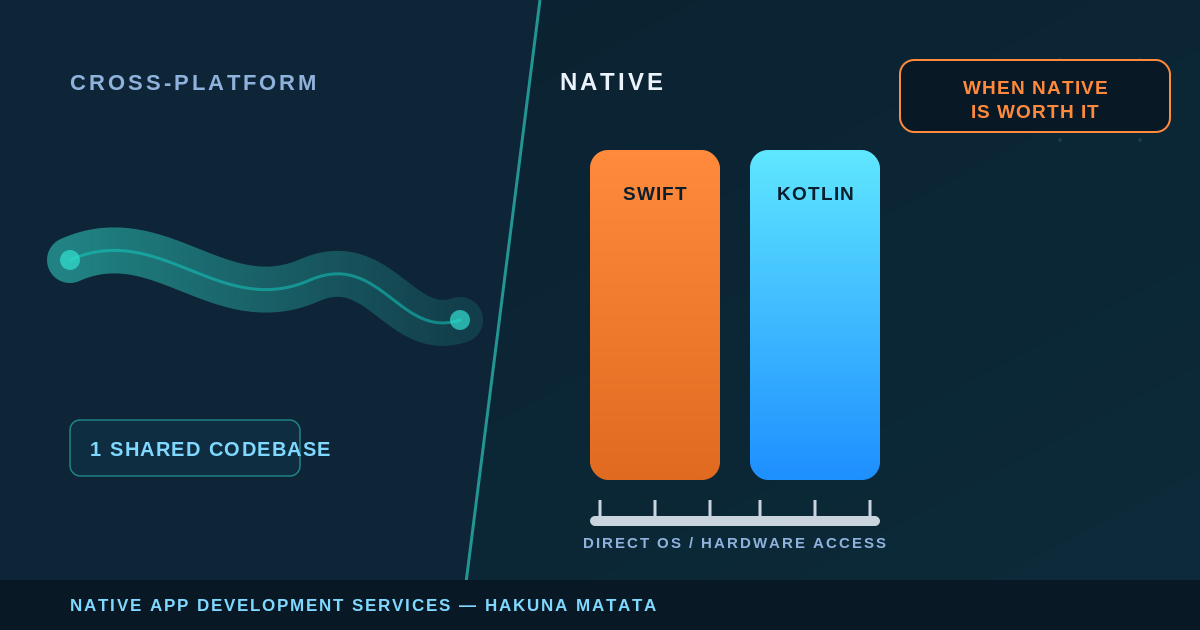
Choosing native app development services is a commitment to two codebases, two platform teams, and a longer build — for a large share of enterprise mobile initiatives, the wrong trade. Cross-platform frameworks like React Native and Flutter ship one codebase to both stores, and for many apps that’s the correct, cheaper call. The honest question a VP of Engineering or CTO should ask isn’t “is native better?” but “does this app clear the bar where native’s performance ceiling and platform fidelity are worth paying twice for?”
This guide is a decision framework, not a pitch for native: when native is the right call, what an engagement looks like, where AI coding agents genuinely help today, how to evaluate a partner, and what to expect on cost and timeline.
Native vs. Cross-Platform: The Decision Framework
Native app development means building each platform in its own first-party stack: iOS in Swift, Android in Kotlin, directly against the platform’s native SDKs and OS APIs. Cross-platform means one codebase — typically React Native or Flutter — rendered to both. The trade comes down to three variables, worth weighing against your specific app first.
Performance and hardware access. Native code talks to the OS without a bridge in between — it matters most for apps that lean on device hardware or the GPU. As HMT’s own positioning puts it, native builds leverage “native SDKs, OS APIs, and hardware-level optimizations to deliver superior performance and stability.” A forms-and-lists CRUD front end over an API will rarely feel that ceiling; an app with intensive graphics, complex animation, or continuous on-device sensor or camera work will.
Device API and platform-feature depth. New OS capabilities land in the native SDK first; cross-platform frameworks catch up through plugins and community bridges — fine until you need something with no mature bridge yet. Native removes the “is there a plugin for this?” dependency entirely.
Long-term maintenance cost. The variable most decision-makers underweight. Native means maintaining two codebases indefinitely; cross-platform means one, but pays a different tax when a framework upgrade or broken plugin forces a scramble. The right framing is which burden your team is better staffed to carry for the next five years, not which looks cheaper today.
If the decision points toward cross-platform, that’s a legitimate outcome, and the more useful next read is a framework-level comparison. HMT’s Ionic vs. React Native comparison covers that choice directly. The rest of this article is for teams whose app clears the native bar.
When Native Is the Right Call (and When It Isn’t)
The clearest line on when to choose native comes from HMT’s own service page — a usable checklist: “Choose native when your app requires intensive graphics, complex animations, deep hardware integration, or when user experience parity with first-party system apps is critical.”
Read that as four independent triggers — any one can justify native on its own:
- Intensive graphics or real-time rendering — games, AR, data-heavy visualizations, video processing.
- Complex animation and interaction — interfaces where a dropped frame is a visible defect.
- Deep hardware integration — sustained camera, sensor, Bluetooth, secure-enclave, or background-processing work.
- First-party UX parity — apps that must feel indistinguishable from the platform’s own system apps.
If your app hits none of these — an internal tool, a content app that’s mostly screens over an API, an MVP whose main risk is market fit — cross-platform is very often the right, faster, cheaper answer, and a hybrid or cross-platform build ships to both stores on one codebase. Choosing native for an app that doesn’t need it means paying the two-codebase tax for a ceiling you never reach. Native isn’t a prestige default for “serious” apps — it’s a targeted decision for requirements a bridged framework can’t meet.
What a Native App Development Engagement Actually Looks Like
Deciding on native is the start; enterprise buyers should know what they’re signing up to operationally, since the delivery shape differs from a single-codebase build.
The most important structural point is how dual-platform native work is coordinated. The naive assumption is that “native for both platforms” means writing everything twice in isolation. HMT’s approach is more disciplined: “Native dual-platform development requires shared product specification as the foundation — not shared code.” In practice, “architecture on each platform follows the current idiomatic patterns — Swift with SwiftUI and structured concurrency on iOS, Kotlin with Jetpack Compose and coroutines on Android,” while “cross-platform consistency is enforced at the API contract level” — a shared spec and API contract that lets each platform feel native while both behave identically against the backend.
Three things follow for anyone budgeting an engagement:
Two platform teams, two idiomatic stacks. An iOS build in Swift/SwiftUI and an Android build in Kotlin/Jetpack Compose are related but distinct workstreams — device fragmentation and MDM integration weigh heavier on Android; watchOS/tvOS extensions sit on the iOS side.
Platform-specific QA is not optional. Real device matrices per platform — Android’s fragmentation alone makes this a standing cost, not a one-time pass.
Release cycles run through the stores. App Store and Play Store review, staged rollouts, and version support shape the cadence — release engineering, not just shipping a binary.
A deeper point separates a durable native app from a demo: “native applications succeed or fail based on architectural decisions made early.” Well-built native apps “leverage OS-level capabilities, ensure memory and battery efficiency, and remain maintainable as features, users, and integrations grow.” Memory and battery efficiency are where under-architected native apps quietly fail — they pass QA, then drain batteries or get killed by the OS under real load. Get the architecture right at the start, whoever builds it. HMT’s native app development company page lays out this dual-platform, spec-first architecture stance in full — a reference point for the technical questions to put to any native vendor.
How AI Coding Agents Are Changing Native App Delivery
This is the section most native-app service pages skip. AI coding agents are reshaping software delivery — but their verified strength today is web and backend engineering, not native mobile, and overselling that gap is a claim worth discounting. Here is what the primary sources confirm, as of mid-2026.
Cursor is a general-purpose, codebase-aware AI coding agent — it “plans, writes, and reviews code using AI agents that understand your entire codebase.” Its native-iOS support is real but narrow: as a VS Code fork, the community Swift extension (SourceKit-LSP) works inside it, providing completion, navigation, refactoring, debugging, and testing. The scope limit matters, per Swift.org’s own documentation: the extension targets “Swift Package Manager projects” — Swift-language tooling, not full Xcode-project, UIKit, or SwiftUI app-target tooling. No equivalent Kotlin/Android support was found. Cursor helps a Swift engineer work faster on Swift packages; it’s not confirmed to run a full iOS app workflow end to end.
Devin, Cognition’s autonomous software engineer, “plans, writes, tests, and ships production code on its own.” Its proven use cases are backend and general-purpose: PR review, documentation, code migration and refactors, issue triage. Its strongest published result is a backend one — a Nubank ETL monolith migration cited at “8x engineering time efficiency gain” and “20x cost savings,” a data-migration story, not mobile. On native mobile, Devin has one dated, verified capability: as of May 13, 2026, “Devin can now spin up an Android Virtual Device (AVD), enabling autonomous development for Android applications” — before that it “could work on Android code, but it could not run and test the app in a local Android environment.” No equivalent iOS capability exists.
The realistic read: both tools genuinely accelerate the web, backend, and migration code around a mobile app, with a partial, asymmetric foothold in native mobile itself (Cursor’s Swift-package support, Devin’s Android emulator support). What stays human-in-the-loop is the platform-specific work — on-device performance/battery tuning, device-matrix QA, and App Store / Play Store review prep. Those are where native apps succeed or fail, and no current agent owns them.
That asymmetry holds up in practice. Devin can work directly on iOS (Swift) code — it’s a general-purpose, codebase-aware agent, not blocked from editing an iOS project — but it has no iPhone simulator, so it can’t build, run, or test that code itself. Same gap Android had before May 2026: code access without a run environment. On Cursor, HMT’s own engineering team uses it day to day for documentation, test cases, refactoring individual functions, and scaffolding new functions from context — but not hands-off: engineers guide how it approaches a change, question its approach, and critically assess the output to get something worth merging. That’s a general account of using Cursor in engineering work, not specific to a native mobile build — but it’s a more honest picture of “AI-accelerated” than a vendor demo.
On the cross-platform layer, HMT’s proof is more established. Its AI-Led Software Engineering practice builds AI accelerators into every sprint, and its Niral.ai front-end accelerator converts design files into production code — measured at 70% faster front-end development, 40% cost savings, and 50% shorter QA cycles. One caveat: Niral.ai outputs React Native and web front-end code, not native Swift/Kotlin — real evidence of AI acceleration in HMT’s sprints, not of AI-accelerated native mobile specifically. The gains are real where proven; the native-mobile part still needs an engineer.
Build vs. Partner: Evaluating a Native App Development Services Provider
If native is the right call, the next decision is who builds it. The criteria are more specific than for a general dev shop, since the failure modes are platform-specific. Ask a prospective partner to be concrete on five things:
- Dual-platform coordination model. One shared-spec, API-contract-aligned program, or two disconnected builds?
- Platform-idiomatic architecture. Current patterns — SwiftUI/structured concurrency, Jetpack Compose/coroutines — or dated approaches expensive to maintain?
- Early architecture discipline. How do they handle memory, battery, and OS-level efficiency decisions up front, given native apps “succeed or fail based on architectural decisions made early”?
- QA and release engineering. How do they handle device-matrix testing and store review — the human-in-the-loop work no AI agent owns?
- IP ownership and team model. HMT’s stated model: “dedicated co-engineering teams, clear sprint milestones, full IP ownership from day one” — a reasonable bar for any partner.
On general delivery credibility, HMT brings 500+ enterprise transformations, 200+ AI and engineering specialists, and is trusted by Max Healthcare, Maersk Training, GS1 India, Caterpillar, and Saint-Gobain, with a 5-star Clutch and Trustpilot rating. One point of candor: HMT’s publicly documented, metric-backed case studies — Max Healthcare and GS1 India — are web-platform modernization engagements, not native mobile builds. They’re cited only as production-discipline evidence: phased, zero-downtime delivery at scale (300 screens live in 6 months with zero disruption to 5,000+ daily clinicians at Max Healthcare; a 3x throughput gain at 70 TPS at GS1 India) — proof by analogy, not a native case study, so ask any vendor, HMT included, for native-specific references.
Cost and Timeline Expectations for Enterprise Native Builds
There is no single price for an enterprise native app, and any vendor quoting one before understanding scope is guessing. What can be stated honestly are the cost drivers and HMT’s published timeline estimates.
The structural cost driver is the one from the top of this article: native means two codebases and platform-specific QA — more engineering surface than a single cross-platform codebase. That premium is only worth paying when the app clears the native bar.
On timeline, HMT’s published estimates for an iOS build are 10–14 weeks for an MVP and 16–24 weeks for an enterprise-grade build with complex backend integration — HMT’s own stated ranges, not a universal benchmark; real timelines depend on scope and how many native triggers your app hits.
The way to control both is to diagnose before committing. HMT’s engagement model starts with a free 30-minute scoping call and a short AI Readiness Assessment, so scope and the native-versus-cross-platform call get settled on evidence, not assumption. For repetitive front-end and web-layer work, AI accelerators can cut timelines materially — HMT cites 40–70% where they apply — though the native-mobile portion still runs at engineering speed.
Request an AI Strategy Review
The native-versus-cross-platform decision is worth getting right before you staff a build — the cost of choosing native for an app that didn’t need it, or cross-platform for one that did, compounds over every release that follows. If you’re weighing a new enterprise mobile initiative and want that call made on evidence, request an AI Strategy Review — it starts the same way every engagement does: a scoping conversation, before a line of Swift or Kotlin gets written.
