
Oracle Forms Modernization: A CIO’s Migration Guide
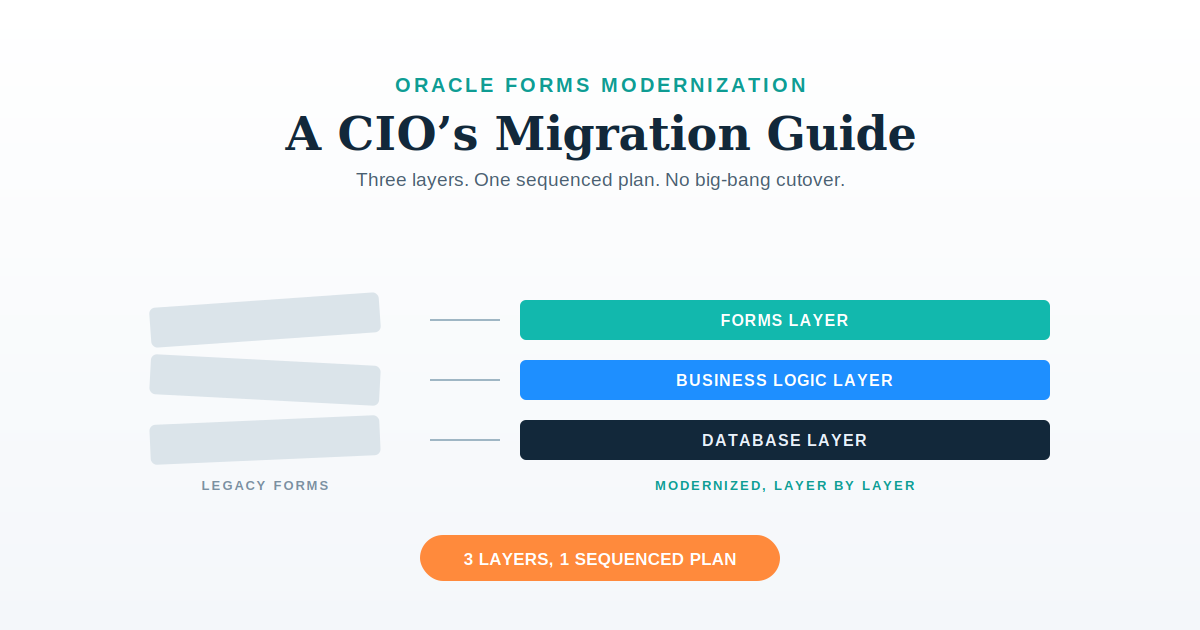
Oracle Forms modernization means moving a Forms-based enterprise application off a platform aging out of support, without breaking the system the business runs on every day. For most organizations still running Forms, that means choosing between three paths (upgrading in place, migrating to a new platform, or replacing the system outright) and then solving the real problem underneath all three: the application isn’t one thing to modernize, it’s three layers, each with a different failure mode. This guide covers both — how to choose a path, and how to execute it layer by layer without a big-bang cutover.
Why Oracle Forms is still running enterprise-critical systems
Oracle Forms has been Oracle’s platform for building data-entry applications directly against an Oracle database since the 1990s. It is still common in government, healthcare, manufacturing, and financial-services back offices for a simple reason: for roughly two decades it was the default way to build an enterprise application fast, and those applications never stopped being load-bearing. A claims-processing system, a patient-registration module, a shop-floor order-entry screen — too operationally critical to leave alone, too embedded to rewrite casually.
That stability is now colliding with a support clock. Oracle Forms 12c (specifically release 12.2.1.4) has Premier Support ending December 2026, with Extended Support running through December 2027 (ezcloud.ai). Oracle Forms and Reports 14.1.2.0.0, released in December 2024, is the current release — but the upgrade path to it is narrow: Oracle only supports upgrading directly from 12.2.1.4 or 12.2.1.19 (AuraPlayer). An organization still on an older 12c point release, or further back, doesn’t get a straight line to the supported version — it gets a decision point.
That decision point is why “modernization” and “migration” show up in the same search as “Oracle Forms” more and more. It’s not a trend story. It’s a deadline.
Oracle Forms modernization paths: upgrade in place, migrate, or replace
Every organization running Forms faces a version of the same three-way choice.
Upgrade in place. Move from 12c to 14c, stay on Forms. This buys support runway without touching the application’s architecture. The recommended pattern is a side-by-side upgrade — standing up 14c in a new environment while the 12c system stays live as a fallback, rather than upgrading production directly (AuraPlayer). It’s the lowest-risk, lowest-payoff option: the EOL clock resets, but the UI limitations, the undocumented business logic, and the eventual need to migrate off Forms are all still there, just deferred.
Migrate to a new platform. Move the application to APEX, a Java/web stack, or .NET, while preserving (not necessarily replicating) the business logic underneath. This is where most of the real modernization work happens, and it’s the focus of the rest of this guide.
Full replace. Retire the custom application for a commercial product, when the business process has changed enough that the original logic isn’t worth preserving. This is the right call less often than vendors suggest, and almost never the right first move — you don’t know what’s worth preserving until you’ve actually looked.
Migration timelines vary with scope: Pretius, one of the firms that specializes in Forms-to-APEX work, puts a mid-sized application at 6–18 months and a large one at 2–3 years (Pretius). Those numbers hold roughly regardless of destination platform — what drives the timeline isn’t which technology you’re migrating to, it’s how much is actually hiding in the system you’re migrating from.
Choosing between APEX and a custom front-end framework. Oracle APEX is a real generational leap from Forms — its Universal Theme renders modern, responsive HTML/CSS/JS, not the old client/server screens — but it’s still declarative: pages get composed from Oracle’s own component and template library, not built from scratch. Kovaion, an Oracle APEX implementation partner, puts the boundary plainly: APEX “may become less suitable when applications require highly customised user experiences, advanced client-side interactions, consumer-grade interfaces, [or] extremely complex front-end behaviour” — exactly where custom development offers “unlimited flexibility” and a “fully customised architecture” instead (Kovaion). APEX fits when staying inside the Oracle ecosystem matters more than UI freedom — an internal, operational application where a net-new front-end stack isn’t worth its switching cost. A custom front-end framework (React, Angular, Vue) fits when the forms-layer redesign is the whole point: consolidating old screens into new, task-oriented, consumer-grade interfaces, or reaching users natively on mobile. That’s also where Niral.ai applies directly, converting Figma designs into production-ready React, Angular, Vue, or React Native code — a path that doesn’t exist if the destination is APEX’s own Page Designer instead.
Three layers, three problems
This is the part most Oracle Forms guidance skips past. Forms, APEX-vs-Java comparisons, and migration-tool reviews all tend to treat “modernize this application” as one decision. It isn’t. An Oracle Forms application is three distinct layers, each breaking differently, each modernized differently, each needing its own kind of proof:
- The forms layer — what the user sees and clicks through.
- The business logic layer — what happens when they click, often invisible and under-documented.
- The database layer — where the data lives, and where a mistake is hardest to undo.
Treating all three as a single “migration” is how projects either stall (because nobody separately scoped the hardest layer — business logic) or ship something technically complete that the business doesn’t actually want to use (because the forms layer got a literal port instead of a redesign). The next three sections take each layer on its own terms.
The forms layer: redesigning for today’s usability standards
Oracle Forms’ own UI model is part of the problem, not just the thing being replaced. Forms applications typically spread a single business task across multiple forms, tabs, and tables — a pattern forced by the constraints of a 1990s client/server screen model, not by how the business process actually works. A single case update might mean navigating four tabs and two pop-up forms to see information that belongs on one screen.
This is why the right move at the forms layer is not a 1:1 port. Pretius makes this point plainly, describing a Forms migration as “the ideal opportunity for a fresh makeover” rather than an exercise in replicating the old layout (Pretius). Corsac’s description of its own approach is more specific about what that redesign should optimize for: screens rebuilt as “task-oriented, responsive web interfaces,” with the redesign prioritizing real user workflows over a purely cosmetic refresh (Corsac).
In practice, that means the redesign step should actively look for consolidation opportunities — merging what was five or six separate forms and tabs into fewer, task-oriented screens built around what the user is trying to accomplish, not how the old system happened to be organized. Once that redesign is set, the production front-end work is a separate problem from the design decision. HMT’s Niral.ai accelerator converts an approved Figma design directly into production-ready front-end code (React, Angular, Vue, or React Native) rather than hand-coding from scratch — generating 60–80% production-ready code from the design files, closing the gap between “we redesigned it” and “it’s live” fast rather than slowly. On the Max Healthcare Hospital Information System modernization, that combination (redesign, then Niral.ai) ran at 2.5 screens built per sprint team per day, taking 300 screens live within six months with zero disruption to the 5,000-plus clinicians using the system daily.
The business logic layer: understand, find, migrate, test
This is the layer every migration guide acknowledges is hard, then moves past quickly. In an Oracle Forms application, business logic doesn’t live in one place — it’s scattered across form-level triggers (Oracle’s term for event-handling code attached to screen actions), PL/SQL Program Units embedded inside individual forms, and shared .pll library files referenced by multiple forms at once. Even Pretius, pushing its own AI-assisted migration tooling, is direct about the limits of automation here: “AI accelerates Forms-to-APEX migrations. It doesn’t perform them,” specifically because of PLL libraries, JavaBean integration, and non-trivial trigger logic that tooling can flag but not safely resolve on its own (Pretius).
The reliable approach to this layer is four steps, in order, and none of them can be skipped by going faster at the next one:
Understand — inventory what logic exists and roughly where, before touching anything. This is a scoping exercise, not a migration step, and it’s the one most commonly shortchanged under schedule pressure.
Find — trace the real behavior of each trigger and program unit, one at a time. Original documentation for a 15-to-20-year-old Forms application is rarely trustworthy; the system’s real behavior and its written design diverge further every year nobody updates the docs. Generative AI can accelerate reading through old PL/SQL faster than a person starting from zero, but it doesn’t remove the need for someone to verify what the code is actually doing against what the business believes it does.
Migrate — once the logic is understood and located, it needs a destination that doesn’t require rewriting it from scratch. HMT’s ADaM accelerator auto-wraps existing PL/SQL stored procedures into REST-ready microservices, usable by a new front end without a full manual rewrite — cutting legacy backend rewrite time by up to 70%, with prebuilt microservice templates cutting build time by roughly 30% on top of that. Corsac describes a comparable principle in its own Java-migration approach: PL/SQL logic is extracted and refactored into service layers rather than transposed as-is, with automated converters speeding extraction but outputs still refactored manually before they’re trusted (Corsac) — “automate the extraction, verify the result” beats either a blind rewrite or blind trust in a converter’s output.
Test — validate the migrated logic against actual production behavior before cutover, not just against what the documentation said it should do. Run old and new in parallel on the same inputs long enough to catch the cases nobody remembered to ask about — the same discipline behind HMT’s GS1 India platform rebuild, which modernized India’s national product-traceability registry with no existing documentation and no tolerance for downtime — the team sequenced data design and migration first, then rolled the new platform out to a small customer subset before scaling to the full base, rather than cutting over all at once.
The database layer: zero-downtime data migration without breaking audit trails
The database layer gets the least attention in most Oracle Forms modernization content, and it’s where a mistake is least forgivable — especially for the government, healthcare, and financial-services organizations where Forms applications are most common, since those are exactly the environments with the strictest audit and compliance requirements.
A database migration done right needs three things together: zero downtime (the application can’t go dark while data moves), complete accuracy (every record, field, and value preserved exactly, nothing silently dropped or transformed), and a full audit trail (every change logged to survive a compliance review). HMT’s DB Migration product is built around that sequence — extracting records via batch processing or change-data-capture with no disruption to the live system, transforming and validating every field against the target schema, then loading with upserts or merges that are fully logged and audit-ready. In practice that’s produced 99.99% data accuracy under independent audit and roughly 60% faster cutovers than a conventional approach. The same discipline — zero-downtime, fully logged, phased rather than all-at-once — is what let the GS1 India rebuild move an undocumented legacy platform to a cloud-agnostic architecture with 70 TPS of throughput (three times the previous rate) while processing 100,000-row batches in seconds, with no gap in service along the way.
Sequencing the three layers together
None of the three layers above modernizes in isolation, and they don’t need to modernize on the same timeline. The sequencing that reduces risk looks less like “migrate everything at once” and more like proving the riskiest layer first, on the smallest safe slice of the system.
On the Max Healthcare HIS modernization, a live system used by over 5,000 clinicians daily with zero tolerance for disruption, the team started with the inpatient pharmacy module specifically because it was the least entangled with the other sixteen modules in scope — the lowest-risk place to prove the delivery model before expanding further. The same logic applies to an Oracle Forms migration: pick the module where the business logic is best understood and the forms layer is least interdependent with the rest of the application, prove the understand-find-migrate-test cycle there, and use what it teaches you to scope the modules that follow. A big-bang cutover treats all of that as unknowable until launch day; a sequenced one makes it knowable well before the system that matters most goes live.
Choosing a modernization partner
This three-layer discipline is the same one behind HMT’s broader AI-driven application modernization work. The gap between a Forms modernization that goes well and one that doesn’t usually isn’t the destination platform — it’s whether the team has sat inside undocumented PL/SQL triggers and .pll libraries before, rather than just read about them. Ask a prospective partner how they’d scope business-logic discovery before committing to a timeline, whether their redesign treats the UI as a port or an actual usability pass, and what their database-migration approach does for audit logging — the layer regulated-industry clients get nervous about, and the one most proposals gloss over fastest.
If you’re scoping an Oracle Forms modernization and want a second opinion on where the real risk sits in your specific application — before committing to a platform, a timeline, or a vendor — request a modernization review and we’ll walk through the three layers against your actual system, not a generic migration checklist.
Where to Go From Here
Oracle Forms modernization is a layered decision, not a single migration project. Get the sequencing right — understand before you migrate, redesign before you port, test before you cut over — and the platform you land on matters less than most vendor pitches suggest. For the adjacent legacy-language problem, see our guide to COBOL-to-Java conversion tools; for the mechanics of auto-wrapping PL/SQL into REST APIs, see PL/SQL to REST API: Modernization Without a Rewrite Fantasy.
